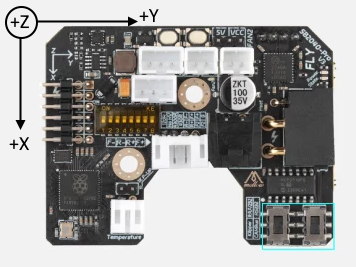
As RepRapFirmware (RRF) keeps growing and adding amazing new features, we’re starting to hit the physical limits of some of our older hardware. To make sure the TeamGloomy ports stay stable and perform at their best, we need to announce that STM32F4-based boards won't be receiving major updates after the v3.6 release cycle.
The Context
This lines up perfectly with the official Duet3D roadmap, as the Duet 2 is also wrapping up its major feature updates after v3.6.x. RRF has simply gotten too complex, and the hardware requirements have outgrown what these older processors can reliably handle.
Why the F4 is maxing out:
- Not Enough RAM: Memory is our biggest roadblock right now. Modern RRF features have essentially eaten up all the available workspace on F4 chips.
- Slower Clock Speeds: Compared to newer hardware like the Duet 3 Mini 5+ or our STM32H7-based boards, the F4 series just isn't fast enough to keep up with the intense math and high-speed motion demands of future RRF versions.
What this means for you
- v3.6.x is the final feature branch: You get all the awesome features, refinements, and upgrades included in the 3.6 releases.
- Ongoing Bug Fixes: We will continue to push out maintenance and bug-fix releases for 3.6.x as soon as they are officially released by Duet3D.
- Looking Forward: For v3.7 and beyond, we’ll be putting our energy into STM32H7-based boards. These have plenty of headroom for the next generation of printing tech.
We want your current boards to remain reliable workhorses for a long time, but to keep pushing RRF forward, we have to focus our development on hardware that can handle the roadmap ahead.
(Note: Support for RP2040 and RP2350 toolboards and expansion boards will continue exactly as normal!)
Thank you for understanding, and as always, thank you for being an awesome part of the TeamGloomy community!
Frequently Asked Questions
Will my current F4 board stop working?
Not at all! Your board will continue to work just as well as it always has. v3.6 is an incredibly stable and feature-rich firmware, and your printer won't lose any of the capabilities it currently has.
Do I need to upgrade my motherboard right now?
There's absolutely no rush. Unless you see a specific feature announced for v3.7+ that you absolutely can't live without, your current setup running v3.6.x will keep printing beautifully.
What happens if a bug is found in 3.6.x after 3.7 comes out?
Duet3D will continue to release maintenance and bug-fix updates for the 3.6 branch, and we will make sure those updates make it to the TeamGloomy ports. You'll still get critical fixes to keep things running smoothly.
If I do want to upgrade eventually, what should I look for?
We highly recommend checking out STM32H7-based boards. They have the processing power and RAM needed to handle all the exciting features coming to RRF in the years ahead.